
Completed case study
NestorNestJS Mentor for VS Code
Hover any NestJS symbol for the official docs, and hover your own classes to learn which design pattern they follow
- Role
Creator & Sole Developer
- Stack
- TypeScript
- VS Code Extension API
- TypeScript Language Service
- NestJS
- Groq API
- Markdown
- Client
Open Source (MIT)
Developer Tools
Aug 2026 – Sep 2026- Team
Solo project

01The challenge
NestJS developers constantly tab out of the editor to look up decorators, modules and pipes on docs.nestjs.com, and newer developers rarely know whether the class they just wrote is a proper Strategy, Decorator or Factory — or a half-finished one. Existing tooling offers autocomplete but no explanation, and AI assistants require sending code to the cloud for every question. The goal was an in-editor mentor that works offline by default, only speaks when it is confident, and adds AI as an opt-in layer rather than a requirement.
Scope: VS Code extension (TypeScript, engine ^1.85), 8 commands, 9 settings, offline documentation bundle (136 pages), symbol index generator (~800 symbols), static pattern-detection rules engine covering all 22 GoF patterns, 22 original pattern guides, Groq AI integration with caching, side-panel webview, published to the Visual Studio Marketplace under the MIT license
Key features
- Documentation hovers for ~800 NestJS symbols, resolved via the TypeScript language server to avoid false positives
- 136 pages of official NestJS docs bundled for fully offline use
- Quick search (Ctrl+Alt+N / Cmd+Alt+N) across all doc pages and section headings
- Side-panel documentation viewer with related-section links
- Gang-of-Four design pattern detection on class hover with confidence level and role classification
- Implementation review notes and best-practice guidance per detected pattern
- NestJS-specific pattern mapping (interceptors, Passport strategies, CQRS)
- 22 original Gang-of-Four pattern guides plus a design principles page, browsable in the side panel
- Optional Groq-powered AI pattern verdicts with per-workspace caching and hover timeout
- Nine user settings covering hover behaviour, confidence thresholds and AI model selection
- Privacy-first: zero network requests until an API key is explicitly stored
Overview
A VS Code extension that turns the editor into a NestJS mentor. It ships 136 pages of the official NestJS documentation and an index of ~800 Nest symbols fully offline, so hovering ThrottlerModule, @SkipThrottle or ValidationPipe shows the relevant docs excerpt inline. Hovering your own class declarations runs a Gang-of-Four pattern analysis — identifying the pattern, your role in it, and how well the implementation follows it — with an optional Groq-powered verdict for harder cases.
- 136 pages
- Docs BundledOfficial NestJS documentation, available offline
- ~800
- Symbols IndexedExports from @nestjs/* packages with hover docs
- 0
- Network CallsBy default — AI is opt-in via a stored Groq key
- MIT
- LicenseFree on the Visual Studio Marketplace
02The approach
The extension bundles a snapshot of the NestJS documentation (136 markdown pages) plus a generated index of roughly 800 symbols exported from @nestjs/* packages. Hover resolution goes through VS Code's TypeScript language server rather than regex matching, so a symbol only produces a hover when it genuinely resolves to a Nest import — eliminating false positives on same-named user code. A side-panel webview renders full documentation pages and powers a Ctrl+Alt+N search across pages and section headings. Design pattern detection is a two-tier system: a static rules engine analyses class syntax, naming conventions and sibling classes/interfaces to classify Gang-of-Four patterns with a confidence level and role (e.g. ConcreteDecorator), and an optional Groq integration (openai/gpt-oss-120b by default) provides an AI verdict for ambiguous cases, cached per workspace and bounded by a hover timeout so the editor never stalls. Privacy was a design constraint: no network calls are made until a user stores an API key, and node_modules, .d.ts files and oversized classes are never transmitted.
Built to a standard
- TypeScript
- Secure
- High performance
03Problems solved
Problem
Naive text matching produced hovers on any identifier that happened to share a name with a Nest export, e.g. a user's own Logger or Injectable helper.
Solution
Routed symbol resolution through VS Code's built-in TypeScript server and only show a hover when the symbol's definition resolves to an @nestjs/* module. Exposed this as the nestor.hover.requireNestImport setting so users can loosen it if they want.
Problem
Pattern detection had to be useful without a type checker or a network connection, yet an AI opinion is genuinely better for ambiguous classes.
Solution
Built a static rules engine that works from syntax, naming and sibling declarations and reports a confidence level, then layered Groq as an optional second opinion. AI results are cached per workspace, gated behind a configurable minimum confidence, and bounded by a 2s hover timeout so the editor stays responsive.
Problem
Sending user source code to a third-party API is a trust problem for a developer tool.
Solution
Made AI strictly opt-in (nothing leaves the machine until a key is stored), excluded node_modules and .d.ts files, capped class size at 12,000 characters, and documented exactly what is transmitted and to which host in the README.
Need something like this?
I build products like Nestor for clients worldwide
The closest package is AI Integration & Automation: fixed price, fixed scope, delivered remotely. Tell me what you are building and I will say which tier fits.
More work
Related projects
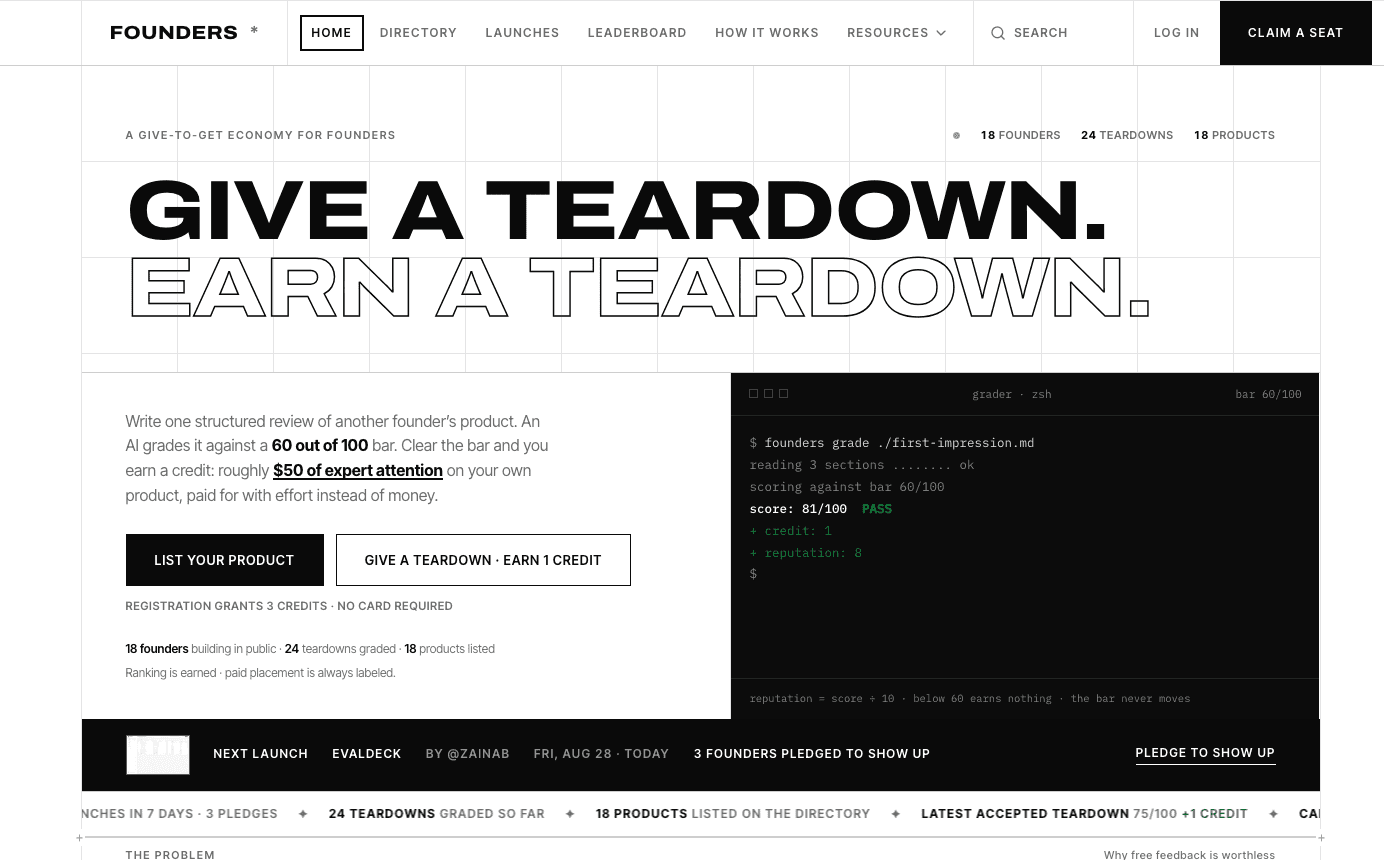
- Founder Community / SaaS
- 2026
Founders — Reputation Economy for Founders
Credit-metered peer feedback, AI-scored reviews, and launches with public show-up rates.

- HealthTech / Clinical Software
- 2026
MedScribe — Prescription Platform for Doctors
Prescriptions your patients can actually read.
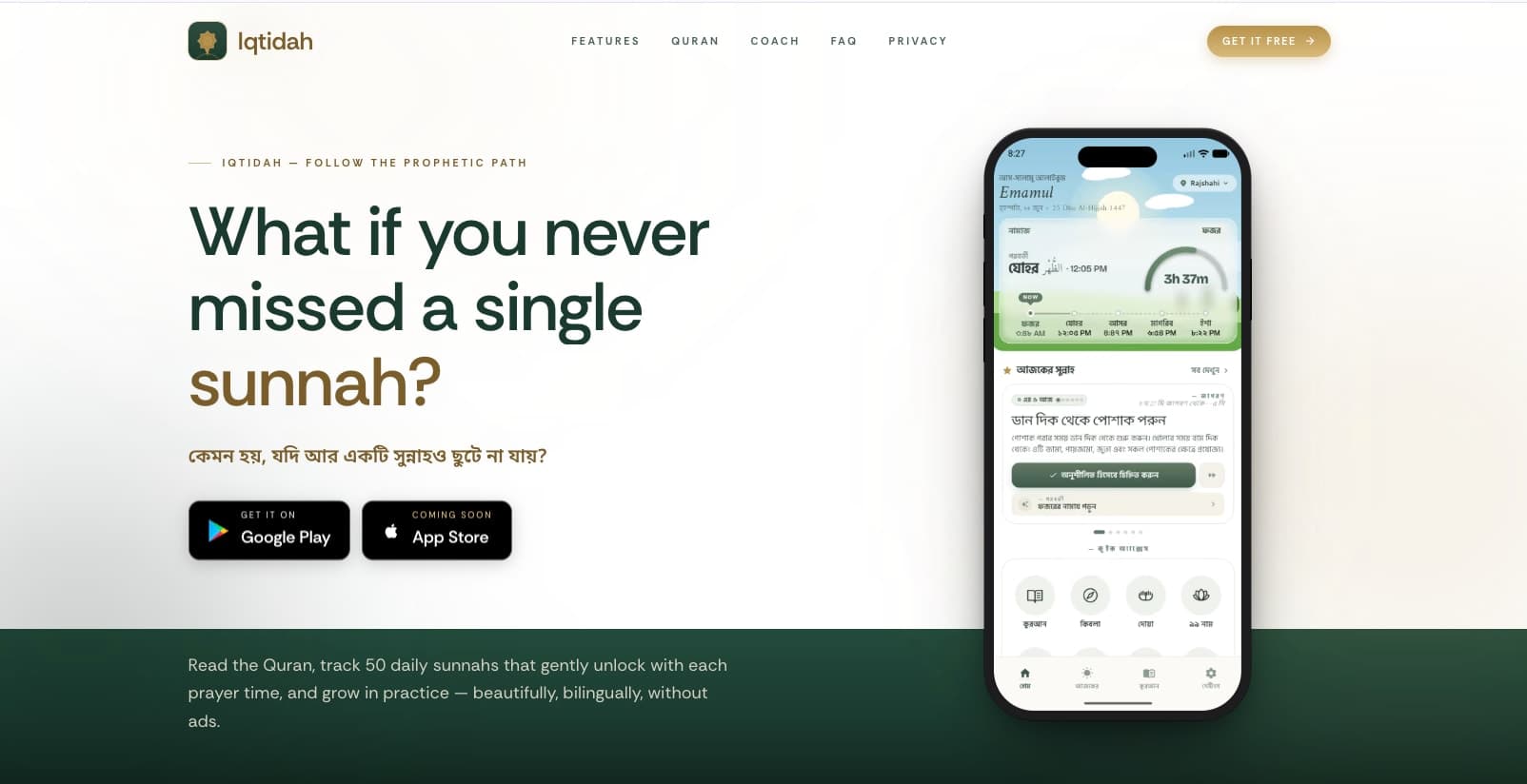
Iqtidah — Daily Sunnah Tracker & Prayer Companion
The first Islamic habit tracker that unlocks 50 daily sunnahs by your prayer times.